Colorful places icons
Places icons are used to depict folders, network locations, and other places. They are mainly drawn at four sizes: 16px, 22px, 32px, and 64px. Places icons use the monochrome style for 16px and 22px sizes, and the colorful style for 32px and larger.
Purpose
Places icons allow a user to quickly identify landmarks in their filesystems. They indicate places that a user will visit frequently, such as home, root, downloads, etc.
Design
Anatomy
Colorful places icons consist of two elements: the monochromatic counterpart of the colorful places icon overlaid on a folder background.
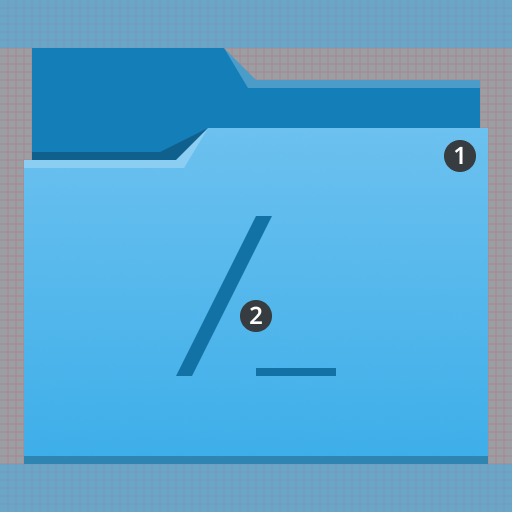
- Folder
- Monochromatic foreground

The base of a places icon indicates that it's a folder that can be navigated to.

The foreground of a places icon indicates the folder's landmark location.
Base
The base of a places icon is always a folder. It's drawn with the ColorScheme-Accent style class so that it follows the user's accent color, which is blue in the examples here.

Foreground
The foreground of a places icon indicates the landmark location an icon represents. Its color is a darker variant of the base's color. For 32px icons, its size is 10×10px. For 64px icons, its size is 20×20px. It is always centered within the folder, and does not cast a shadow.

Do: The foreground of a places icon does not cast a shadow.

Don't: Don't have the foreground of a places icon cast a shadow.
Margins
64px places icons have a top and bottom margin of 6 pixels, and 32px places icons have a top and bottom margin of 3 pixels.

64px icons should have a top and bottom margin of 6 pixels.

32px icons should have a top and bottom margin of 3 pixels.