Pages
User Documentation

Touchscreen Gestures
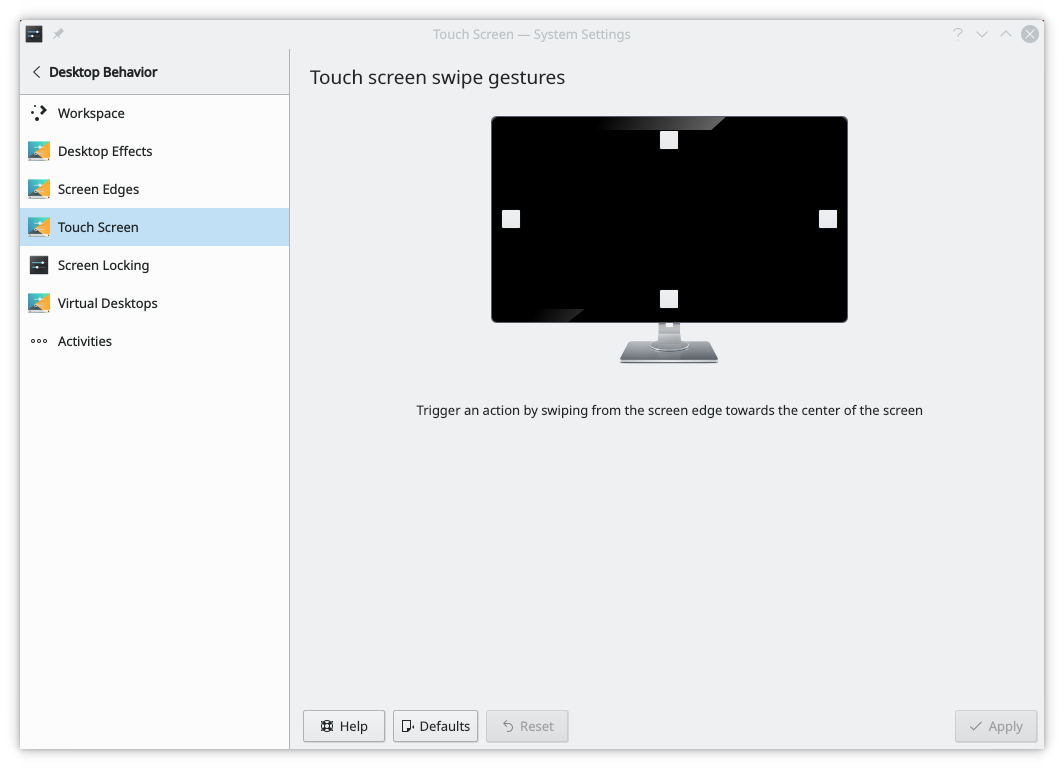
The Touchscreen Gestures module, in an older version

Swiping from the screen edge towards the center of the screen lets you trigger actions. Here you set which action happens on each edge.

Click a square with any mouse button and select an action from the menu. A highlighted square has an action attached, and a gray one has none.

How many actions are available depends on the effects turned on in Desktop Effects.

Adapted for SonicDE from invent.kde.org/plasma/kwin-x11/-/blob/master/doc/kwintouchscreen-x11/index.docbook by Mike McBride, licensed under GFDL 1.2 or later.

Edit this page on GitHub

We use cookies to personalize content and to analyze our traffic. Please decide if you are willing to accept cookies from our website.